SQL Server 2016: Always Encrypted feature
So, I was going through the documentation for SQL Server 2016 Always Encrypted feature and I read this paragraph:
The driver encrypts the data in sensitive columns before passing the data to SQL Server, and automatically rewrites queries so that the semantics to the application are preserved.
We’ll still be able to get the execution plan for the query from the server, but regarding optimization, similar issues to the ones that arise from ORM frameworks might pop-out.
Anyway, going further down the same documentation, you get the feature constraints, like:
- Queries can perform equality comparison on columns encrypted using deterministic encryption, but no other operations
- Indexing columns encrypted using randomized encryption is not supported.
- Query parameters that map to encrypted columns must be passed as driver-level parameters.
Also, you have some characteristics that disallow the use of encryption, like:
- Columns that are referenced by statistics
- Columns using alias type
- Partitioning columns
- Columns with default constraints
The case is clear that it’s a wonderful
security-wise
feature. Before adopting it on your business driven development, make sure it won’t become a source for technical debt for your current code base and future developments.
MSSQL Database Engine Security Checklist
So this is a really nice shortlist for any DBA. Without being too detailed, it gives a good starting point to perform a security audit on your Microsoft SQL Server database instances.
The aspects covered are:
- Physical Security
- Operating System Configuration
- Database Instance Configurations
At the end it has some links to other related checklists. It’s on the Technet wiki and should be updated regularly.
Check it out here: http://social.technet.microsoft.com/wiki/contents/articles/1256.database-engine-security-checklist-database-engine-security-configuration.aspx
#Powershell and SQL Server: Using the SQLPS Provider | Art of the DBA
A quick and easy read to get a feel of managing a SQL Server instance using powershell.
Security Concern: Alternative to extended stored procedures on Microsoft SQL Server
While securing a Microsoft SQL Server instance, there are many issues you should look after. According to the official documentation,
it can be viewed as a series of steps, involving four areas: the
platform, authentication, objects (including data), and applications
that access the system. On environments where SQL Server is used on a
more “Swiss Army Knife” fashion, there is often difficulty on disabling
or, at least, restricting access to the general extended stored procedures, like xp_cmdshell.
These stored procedures provide an interface from an instance of SQL
Server to external programs for various maintenance activities. But they
also represent a security liability. The alternative suggested is if
possible to use SQL CLR Integration
to perform these tasks. It can be done and it works, but maybe it isn’t
a desired task by the regular DBA to learn to program a .NET Framework
language.
With this in mind, as far as SQL Server Agent jobs are concerned, I’d suggest creating a Powershell job step.
Bear in mind this requires a specific kind of error handling. By default the ErrorActionPreference
is set to Continue, and this has implications on how errors bubble up
to the SQL Server Job Server. If you run a Windows PowerShell command as
a SQL Server Agent job and there are no syntax errors but the command
produces an error, the SQL Server Agent job will report success. If you
want an error condition to halt execution of a SQL Server Agent job or
to produce an error, you’ll need to add some error handling. To bubble
up Windows PowerShell errors to SQL Server Agent, you’ll need to set
your $ErrorActionPreference = “Stop”. You can check that out here.
For the processing task which are a hybrid of data manipulation and
other external system related tasks I’d suggest the development of
Powershell scripts that use SQL Server Management Objects (SMO) which is a collection of objects that are designed for programming all aspects of managing Microsoft SQL Server.
Sure, you might say that this suggestion doesn’t help from learning to
code, but this is an inevitable goal every SQL Server DBA must have as
the future might have projects where the projects might have a server core platform. What then?
So why not kill two rabbits with one stone and learn your Powershell and SMO, it quite seems the way to go. For starters, this might help.
On the same subject as this post, this editorial from SQLServer Central came out.
Happy coding!
Issues with SQL Server 2014 Service Pack 1
Microsoft chose to remove SQL Server 2014 Service Pack 1 (SP1) from the Microsoft
Download Center due to a significant installation issue discovered
shortly after release.
When applying the patch, any SQL Server instance with SSISDB catalog enabled runs into an installation error during SQL Server 2014 SP1 upgrade. The
instance is then in an invalid and unusable state.
- In the 11 hours of availability, there were 270 downloads from the Download Center. No other distribution channels were affected.
- The original release was version 12.0.4050.0, the new release will have a new KB and build number.
- When SP1 is released again, Microsoft will recommend that 12.0.4050.0 is uninstalled prior to applying the new SP1 update. This includes any “Side by Side” instance scenarios.
- Microsoft is targeting release in a few weeks and will share updates as we go.
You can follow the updates on the official release page. If you have installed the update, there are also steps for a workaround.
Why dynamic TSQL should be banned from Stored Procedures
The guys from SQLServerCentral.com published an article giving a Quick Tour of sp_ExecuteSQL. This is all very well, except for the antibodies in me regarding dynamic TSQL inside frequently used stored procedures.
Yes, it’s true that “Every once in a while you find yourself working with SQL Server and you need to execute a piece of T-SQL that will be different at the time of execution from the time that the code is being written.” but pointing out SQL injection as the single concern is quite an understatement.
The key downside events regarding dynamic TSQL are statement compile time and execution plans. You can read on the official documentation at MSDN: “The Transact-SQL statement or batch in the sp_executesql @stmt parameter is not compiled until the sp_executesql statement is executed. The contents of @stmt are then compiled and executed as an execution plan separate from the execution plan of the batch that called sp_executesql.”
Furthermore “sp_executesql can be used instead of stored procedures to execute a Transact-SQL statement many times when the change in parameter values to the statement is the only variation. Because the Transact-SQL statement itself remains constant and only the parameter values change, the SQL Server query optimizer is likely to reuse the execution plan it generates for the first execution.”
One can try to optimize this dynamic execution by using parameter substitution, so the the Transact-SQL string is built only one time. But there are still aspects you can’t control:
- What is the generated execution plan for the dynamic statement, running separate from the execution plan of the batch that called sp_executesql;
- Is the execution plan any good? You can’t really tell to try to change it;
- Good or bad, the plan is cached for the following executions. If the diversity of queries that can dynamically be run is large, there’s no gain from the plan caching;
- Using the RECOMPILE option solves the above issue but creates another: each time the stored procedure is called, the execution plan is recompiled. For long running queries this might be overlooked, but for queries otherwise fast, it’s a major performance drawback.
Having stated my displeasure for the dynamic TSQL, I can also recommend the following readings:
In all applications I witnessed the development, using dynamic TSQL inside stored procedures caused nothing but trouble as soon as the tiny tables turned into a larger, business critical database with hundreds of users.
Locked out of MS SQL Server - solution
Reading this post from SQLServer Central, I remembered reading the documentation:
Connect to SQL Server When System Administrators Are Locked Out
It’s still valid for MSSQL2014.
New Version: SQL Server Maintenance Solution
Ola Hallengren released a new version of SQL Server Maintenance Solution:
The new version has support for backup to Azure Blob Storage.
Here is how it works:
EXECUTE dbo.DatabaseBackup @Databases = ‘USER_DATABASES’,
@URL = ‘https://myaccount.blob.core.windows.net/mycontainer’,
@Credential = ‘MyCredential’,
@BackupType = ‘FULL’,
@Compress = ‘Y’
and with encryption:
EXECUTE dbo.DatabaseBackup @Databases = ‘USER_DATABASES’,
@URL = ‘https://myaccount.blob.core.windows.net/mycontainer’,
@Credential = ‘MyCredential’,
@BackupType = ‘FULL’,
@Compress = ‘Y’,
@Encrypt = ‘Y’,
@EncryptionAlgorithm = ‘AES_256’,
@ServerCertificate = ‘MyCertificate’,
@Verify = ‘Y’
Backup to Azure Blob Storage is available in SQL Server 2012 (SP1 CU2 and later) and SQL Server 2014.
The new version also has some minor bug fixes and improvements.
The SQL Server Maintenance Solution comprises scripts for running backups, integrity checks, and index and statistics maintenance on all editions of Microsoft SQL Server.

Using PowerShell to discover information about your Microsoft SQL Servers
Since the SQL Server 2014 client tools are installed on our workstation, there is a PowerShell module namedSQLPS installed.
Thinking of messing around with your Sharepoint database?
You better think again. If you consider doing any of the following changes:
- Adding database triggers
- Adding new indexes or changing existing indexes within tables
- Adding, changing, or deleting any primary or foreign key relationships
- Changing or deleting existing stored procedures
- Calling existing stored procedures directly, except as described in the SharePoint Protocols documentation
- Adding new stored procedures
- Adding, changing, or deleting any data in any table of any of the databases for the products that are listed in the “Applies to” section
- Adding, changing, or deleting any columns in any table of any of the databases for the products that are listed in the “Applies to” section
- Making any modification to the database schema
- Adding tables to any of the databases for the products that are listed in the “Applies to” section
- Changing the database collation
- Running DBCC_CHECKDB WITH REPAIR_ALLOW_DATA_LOSS (However, running DBCC_CHECKDB WITH REPAIR_FAST and REPAIR_REBUILD is supported, as these commands only update the indexes of the associated database.)
- Enabling SQL Server change data capture (CDC)
- Enabling SQL Server transactional replication
- Enabling SQL Server merge replication
And these unsupported database modifications are discovered during a support call then, to get support back… just perform a database restoration from the last known good backup that did not include the database modifications.
I really don’t get the implications of creating new stored procedures or indexes. It’ s perfectly common for a DBA to sometimes add non-business related objects to get some usage overview.
Hope I never get called to solve performance issues on a Sharepoint MSSQL database. I might inadvertently ruin their support eligibility.
Source: here.
Dynamic Management Views: Changes in SQL Server 2012 - SQLServerCentral
Nice article with an Excel spreadsheet attached with all the DMVs and identifuing changes made from MSSQL 2012 to 2014.
10 common mistakes Java developers make when writing SQL
Java devs operate on a blend of object-oriented and imperative thinking - but when it comes to writing SQL, everything can quickly go to pot. Are you guilty?
The guy who wrote this post must not be a DBA: “Just let the database do the processing and fetch only the results …”
Really?

Stack Exchange PowerShell Loader
Following a session I attended on a SQL Saturday event and reading a post from Brent Ozar, I got the idea for a new github project, a loader utility script made to import the Stack Exchange data dumps, in XML format, into a given Microsoft SQL Server database.
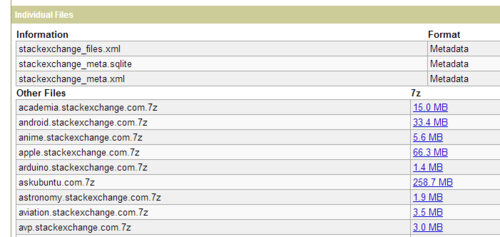
The data dumps are an anonymized dump of all user-contributed content on the Stack Exchange network. Each site is formatted as a separate archive consisting of XML files zipped via 7-zip using bzip2 compression. Each site archive includes Posts, Users, Votes, Comments, PostHistory and PostLinks.
You can find and choose to download the data dumps here: https://archive.org/details/stackexchange
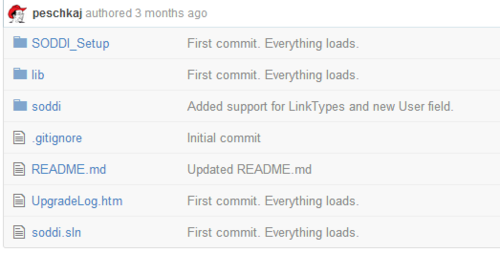
The given DDL file for the schema and database object creation is adapted from Jeremiah Peschka’s soddi project. You can check it out here: https://github.com/peschkaj/soddi
In order to run the script, you should have Powershell v3 and MSSQL Server Management Studio 2012 or above:
You can chek the project’s page and get the source here:
http://mjlmo.github.io/SEPSLoader/

Happy scripting!
Free ebook: Introducing Microsoft SQL Server 2014
Free ebook: Introducing Microsoft SQL Server 2014:
This book is for anyone who has an interest in SQL Server 2014 and wants to understand its capabilities.
